Minimal image self-hosting
In the Tildes Minecraft weekly thread a little while back, there was some discussion about self-hosting images. I've finally done the thing, and figured I'd share the results.
The primary goal is to make something as simple as possible: I don't really care about galleries or albums, or different file formats, or fancy automatic deduplication etc. I just want to grab an image and throw it up on a link that I can share.
I do care about easily importing images from various sources, and stripping image metadata.
The simplest solution I came up with that addresses all these while requiring minimal changes to my existing self-hosted setup is this:
- Serve a directory of static files from
/var/www/i.allemangd.devon a subdomain with a newserver {}block in my existing nginx config. - Upload images to that directory via
scp. Then access is controlled by SSH and VPN and I don't need to worry about authentication. - Convert everything to
webpand strip metadata with imagemagick. - Don't worry about albums or galleries with the automated tool. I can manually edit the folder structure or rename via ssh/sshfs, but the automated tool just dumps images to a flat directory of
$(uuidgen).webp. - Pull from the clipboard via
xclipby default (I only need to support one platform), or via stdin, path, or url on the command line. - Everything in a short autoloded zsh function, and configure destination host/dir/url by environment variables in zshrc.
The code is at https://git.allemangd.dev/me/imup. @creesch, @Durinthal, @hamstergeddon, @trim: you all participated in my call for recommendations, so have a ping here in case you're interested in the solution I've landed on.
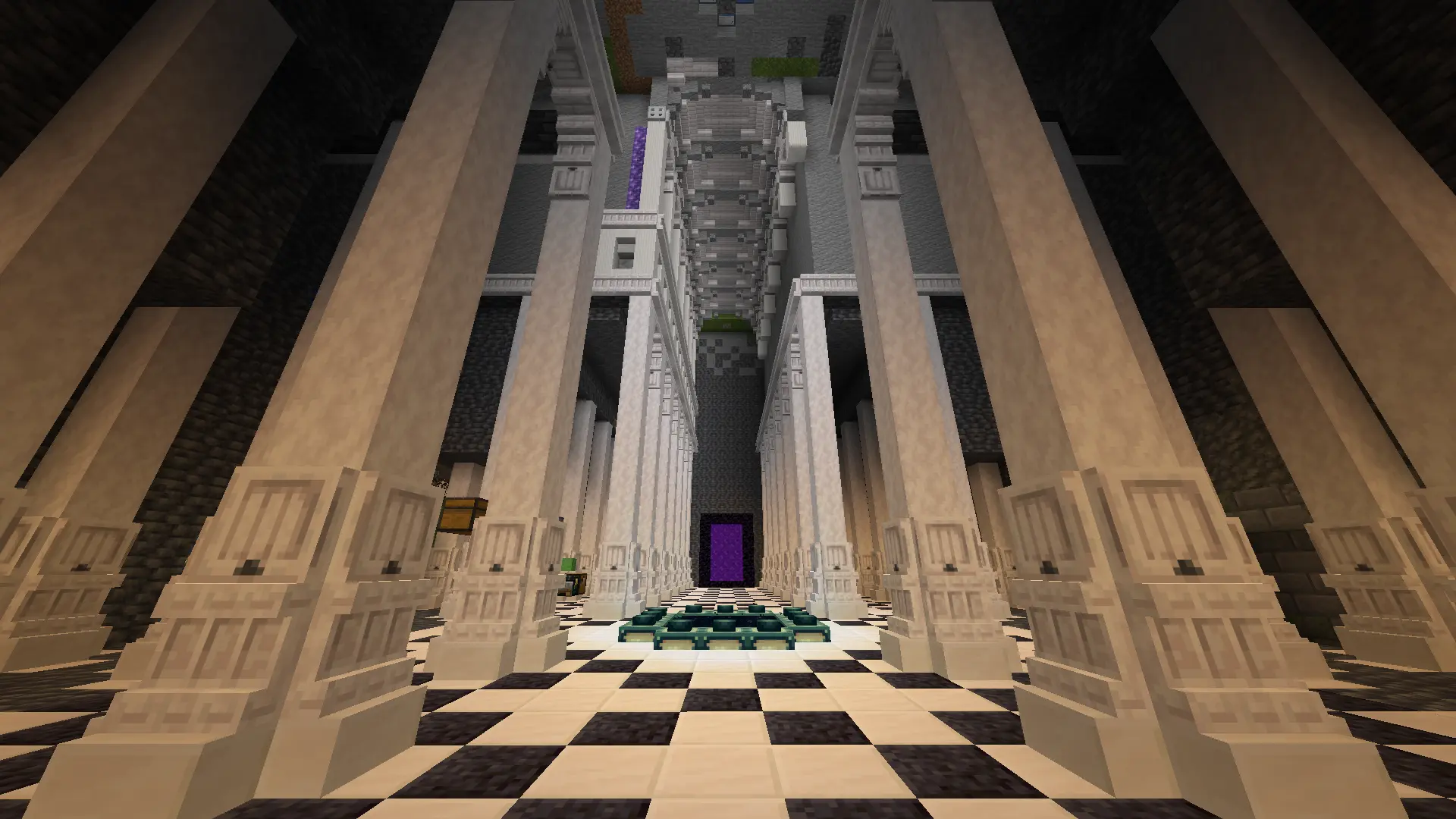
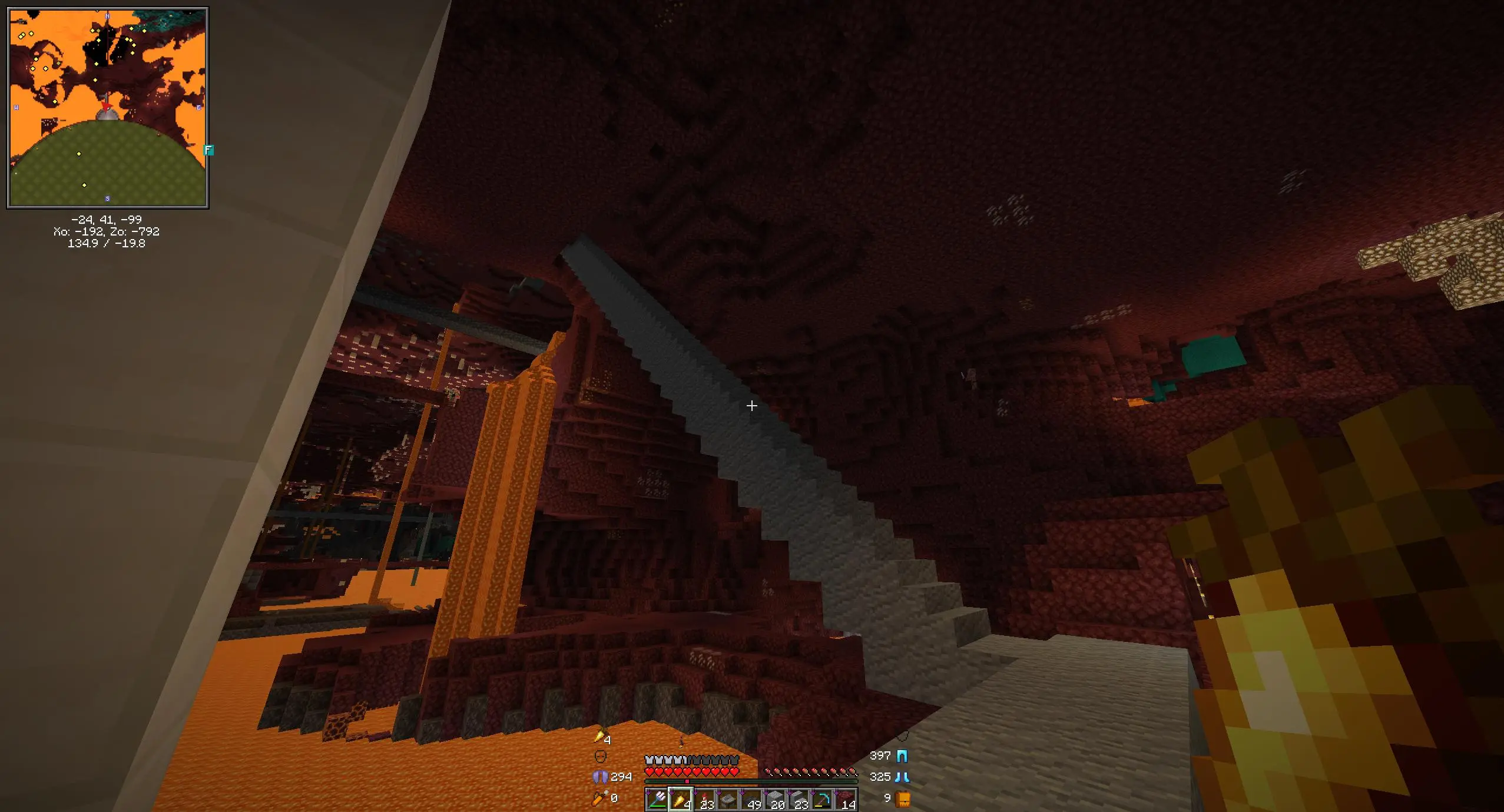
So, with all that, I'll move some of my minecraft screenshots off of imgur via this tool:
$ imup \
  'https://i.imgur.com/ecokmB1.png' 'https://i.imgur.com/UNs1mlr.jpeg' 'https://i.imgur.com/83ChnpP.png' \
  2026-01-20_22.15.08.png  2026-01-21_23.06.18.png \
  --tag mc
Output
Note the ones from the screenshots folder are skipped, since I already ran imup * --tag mc in that directory. Also note that one of the imgur screenshots is skipped, because it came from one of those files.
- https://i.allemangd.dev/8b55e76472cb.webp (uploaded https://i.imgur.com/ecokmB1.png)
https://i.allemangd.dev/mc/8b55e76472cb.webp (tagged) - https://i.allemangd.dev/b6af9608c470.webp (uploaded https://i.imgur.com/UNs1mlr.jpeg)
https://i.allemangd.dev/mc/b6af9608c470.webp (tagged) - https://i.allemangd.dev/f317c121f1ab.webp (skipped https://i.imgur.com/83ChnpP.png)
https://i.allemangd.dev/mc/f317c121f1ab.webp (skipped) - https://i.allemangd.dev/e323ce99b07b.webp (skipped 2026-01-20_22.15.08.png)
https://i.allemangd.dev/mc/e323ce99b07b.webp (skipped) - https://i.allemangd.dev/11ef9831f1cc.webp (skipped 2026-01-21_23.06.18.png)
https://i.allemangd.dev/mc/11ef9831f1cc.webp (skipped)



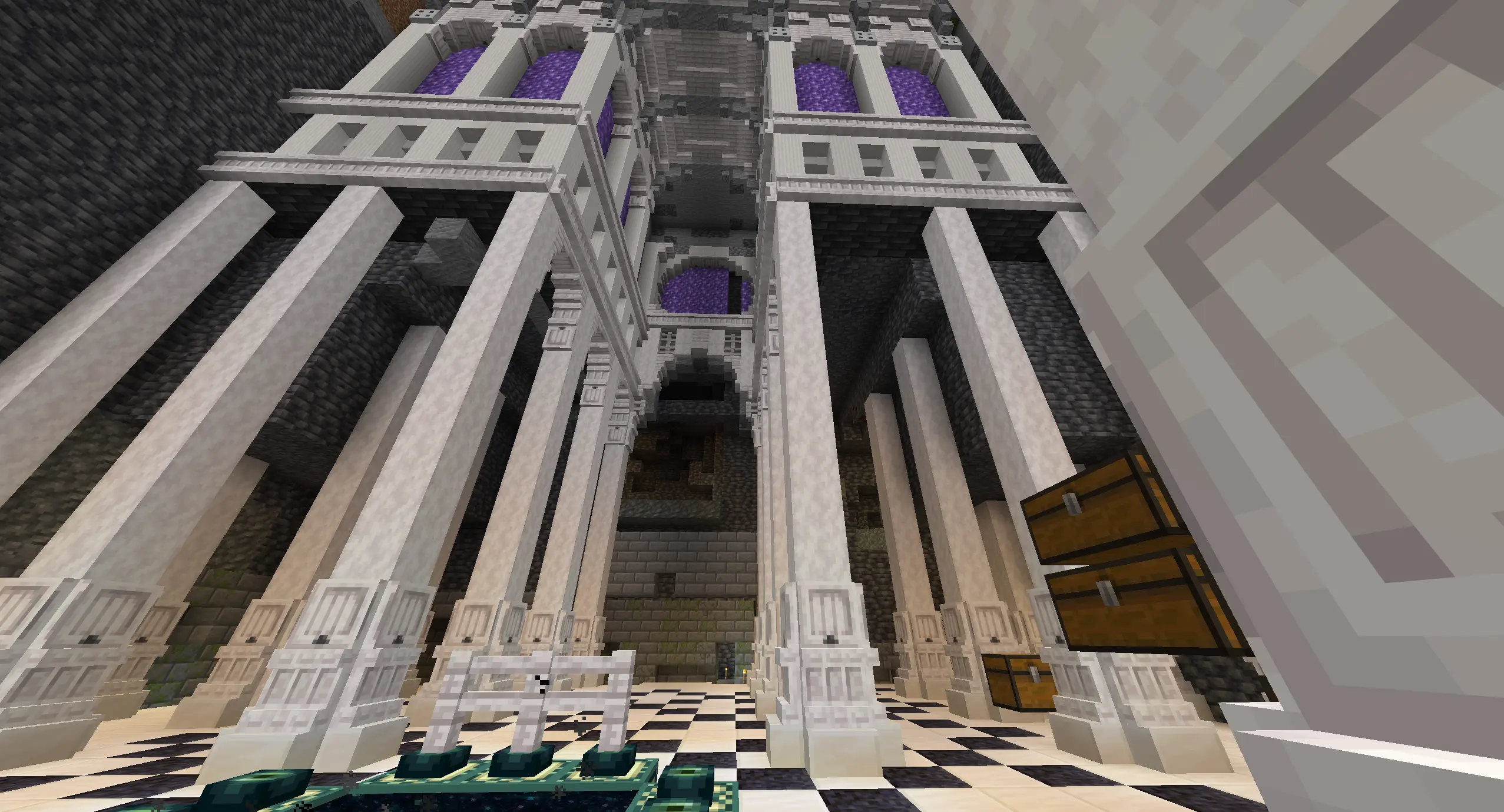
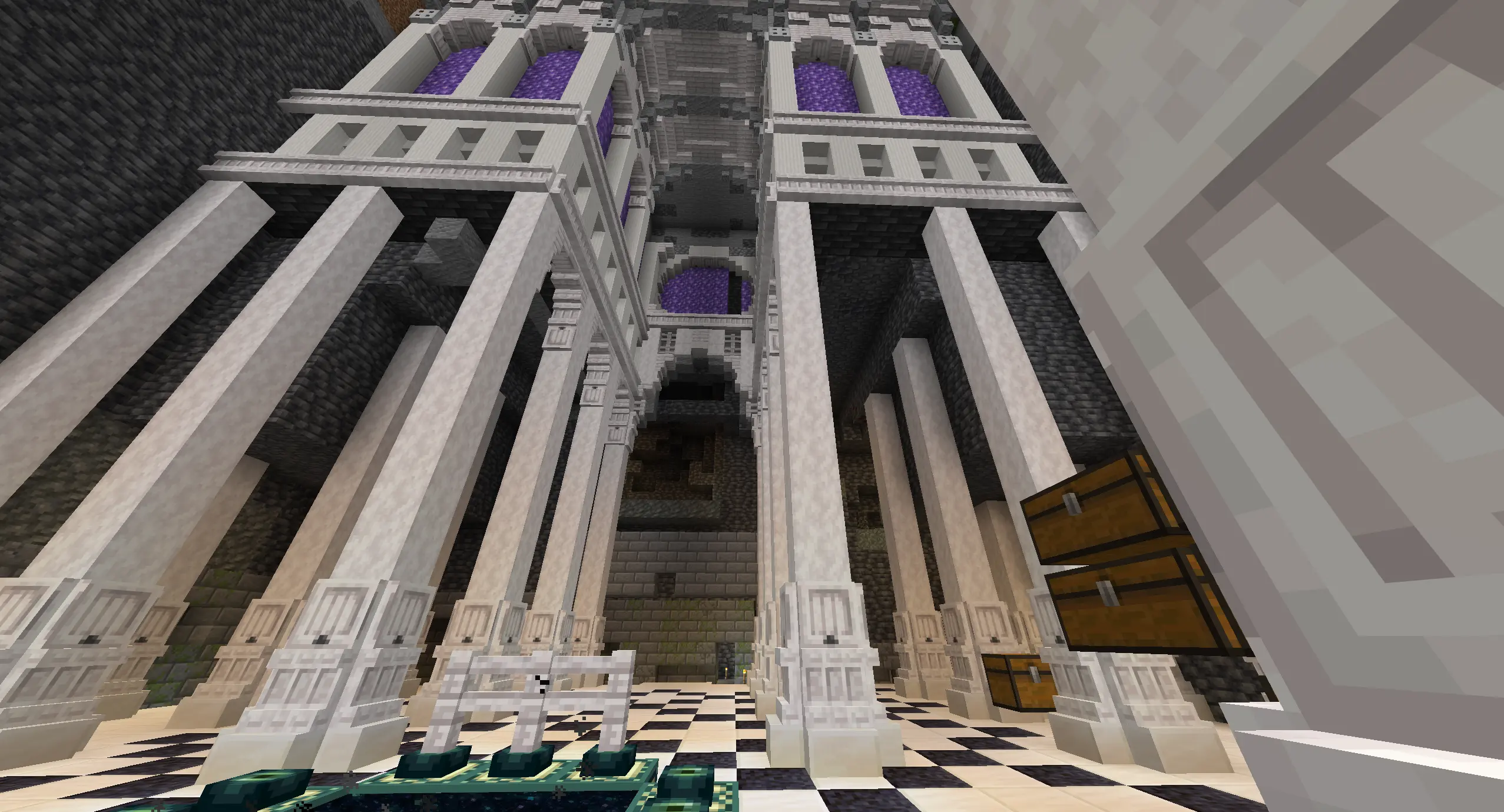
I expect the two workflows from here on will be one of:
Navigate to my minecraft screenshots directory and executeNow just runimup $(date -I)_*.pngto share recent updates on the weekly thread.imup *.png.Prt Sc; "Copy to Clipboard";imup; Paste the url.
Some adjustments I might make in the future are:
-
Instead of naming the file by aThis is done.uuid, name the file by a hash. This way reuploading files won't explode the size of that directory - my "weekly update" thing could just beimup *.pngin the screenshots directory. -
Synchronize viaInstead I now synchronize via temporaryrsyncinstead ofscp. It should be faster.sshfs. I think rsync in principle could be faster but this is easier. -
Set up anI think I will not do this for fear of accidentally leaking something via an automatically-uploaded file in that directory. Better to be explicit.sshfsmount with this connection so my minecraft screenshots folder links directly to the static files, likehttps://i.allemangd.dev/mc/<date>.png. Then no manual commands are necessary. I'm a little hesitant to do that, though, since I'm not sure what happens if I putsshfsto offline host in myfstab, and probably not all my screenshots need to be public.
UPDATE: I've rewritten the thing in Python. I now name the files by hash and have a simple linking scheme for "tags". Installation is as easy as uv tool install git+https://git.allemangd.dev/me/imup, and I can carry my config around in dotfiles.
I didn't know that. Thanks for the catch!
Neat to see! I am likely sticking to my own solution as it has served me well. I do find that I am sort of missing tags or something to make things easier to find back. I have some functionality in my shoddy front-end to browse images and quickly jump years and months. But it is minor overall.
I have looked at some ready made solutions as wel out of curiosity. I know zip line is used by some people on tildes and it looks interesting enough that I might give it a go at some point.
I also saw pikapods has a few offerings that could be interesting. Specifically for people who want to move away from services but aren't quite ready to fully self host.
I self-host immich as a replacement for Google photos and absolutely love it. I'd highly recommend it for anyone looking for that style of photo manager.
I've added zipline and immich to my reading list to examine in more detail. I've never heard of zipline before, but I am vaguely aware of immich and have heard it's supposed to be good.
What I really would like is some self-hosted google-docs-like tool to use for shared documents for the family. I've tried nextcloud in the past but had issues so dropped it. Maybe I should give that another go now I've got a couple years more experience under my belt.I forgot I had done some experimenting more recently with opencloud and collabora that went alright, but I was busy and never set it up on my host so it's not accessible enough to move into.https://demo.immich.app/ give it a go! ;)
Depending on what you need exactly, Outline is a pretty good collaborative markdown editor.
Zipline user here. It's probably overkill if you just want simple image hosting but it does the job.
https://github.com/Rouji/single_php_filehost / https://x0.at/ is nice and simple.
Good shout, thanks for sharing!
I intentionally did not create an upload webpage because I don't want anyone else to be able to upload to my host, and I don't want to deal with authentication. Maybe there is some easy http auth solution, but I don't know it offhand like I do ssh.
Also, this excerpt from Rouji's readme is apt:
Mine is even more specific: it is aimed at me, who happens to be a nerd with a command line fetish. It's been a fun small project.
why not simply have a watch on a local folder that uploads and moves everything that enters it? you could also have a one-liner to rename and post files to your server and copy the url to the clipboard in one go, which is also handy.
I had mentioned something like this in the OP with sshfs. I've not done that because I'm a little hesitant to have the contents of some random directory on my PC be automagically made public at all times. I think there's some value in intentionally moving to the directory and choosing to upload the files.
The idea is I could clear my minecraft screenshots directory and put
sshfs <host>:/var/www/i.allemangd.dev/mc .../.minecraft/screenshotsin myfstab. Then implicitly every screenshot I take in-game is immediately written tohttps://i.allemangd.dev/mc/<timestamp>.png.But instead, with the Python rewrite, I can keep the intentionality but make it super easy to do.
yeah, I definitely wouldnt have an open directory on your own system --- or even a webserver. you really just need something like dropsha.re or sharex but for linux.
I was thinking you'd use something like inotifywait w/ an rsync push to a remote server. basically the as those other apps. once the file is transferred, move it to another folder and its done.
Flameshot is the closest Linux alternative to ShareX I'm aware of. I briefly tried it many years ago when switching off of Windows. IIRC it could only upload to Imgur without modification. I don't remember the specifics of my other gripes, but it didn't feel like a ShareX replacement to me (which is likely not the aim of the project, to be fair) and I didn't use it for very long. It may have changed significantly over the years and/or be fine for some people.
While writing this comment I came across SnapX, an in-development hard fork of ShareX with Linux support. Given the warning in the README about it not being ready for use, I'm not sure on its current functionality.
its surprising that there isn't a 1:1 copy of ShareX for linux. For imgur, I just have this in zsh -- I'm on macos, but pbcopy could be replaced with xclip to pop the URL to the clipboard.
SnapX looks to be the best contender outside of something hacky... which is still my preference :)
I was surprised too when I made the switch! I suppose the behemoth complexity of ShareX is antithetical to a lot of popular Linux design choices (KISS and all that) and it requires a massive amount of rewriting to port because it makes heavy use of Windows APIs.
After not liking Flameshot I switched to using ImageMagick and copying the resulting image to my clipboard. I have 3 separate commands bound to different keys.
I mostly take screenshots to send directly to friends in chats that support direct image pasting, so uploading to a host is not a huge concern for me, which makes this slightly off-topic I suppose (sorry!)
that's awesome! I've been using imageMagick so much lately. Its such an excellent tool.
I added the stdin option to imup mostly because of how well imagemagick plays with streams.
e.g.
convert x:root - | imup --copy -And a second time, to see the output of the first.
Edit: I fiddled around with this a bit more and I found a nice pattern. Because I use the arguments to
imupas magick sources, I don't need to run through an explicit convert pipe. So for example, running this lets me click on a window and uploads a screenshot of the selected window.The whole-display screenshot can be written simply
imup x:root --copyIt isn't a full on replacement for all features ShareX has but it has gotten better since I tried it a few years ago. At my current work place we are using linux VDIs for dev work and I found myself not liking the gnome capture tool. I figured I'd give flameshot a go and was pleasantly surprised that it did seem to have gotten more stable and slightly more configurable. At the very least for things like basic scribbling on screenshots with various shapes, numbers and highlights works fine for me.
As far as supporting other uploaders go. I have seen some hints that this is now possible, but I am not sure if it is supported by flameshot itself or done through some clever workarounds. The zipline documentation has a page about it where it will apparently generate a bash script which will in turn start flameshot with the uploader nicely put in place.
Edit:
Lol, just had a look at how zipline does this. This is the shell script
Pretty clever tbh
So it doesn't even use the uploader at all.
Just out of curiosity, as I've not done a good job of staying in the loop on these things, but what's the advantage of converting webp vs keeping it png, jpg? Is it just a filesize thing? Any downsides (quality, etc.)?
Also I saw this thread the other evening and decided to write my own solution in Laravel (PHP), which is kind of overkill for what is essentially a single endpoint (upload). But it seems to be working well. I've always found Laravel's auth system to be sturdy enough, so I used that so I could keep things secure-ish. So far so good. https://images.hamstergeddon.com/Gp7ODhKg.png
I gave it the title of "garbase-ass vibe-coded image uploader", but the process of making it brought up an interesting thought. I did heavily use Claude to write it, but I also needed to know Laravel well enough to guide it to do what I wanted. Sure, someone less knowledgeable could've probably coaxed it into writing something functionally similar, but they wouldn't have the deeper understanding of it that I do. So I don't know if it's truly "vibe coded". I just kinda used AI to automate some stuff I already knew how to do.
It's a pretty versatile format; it supports lossy or lossless compression and animations. It tends to have significantly better file size than png, and marginally better file size than jpeg. (Athough IMO the compression artifacts are not nearly as noticable as with jpeg).
The only downside I really know is that it only supports one 8-bit colorspace so if you have specific color requirements or high bitdepth, it's not suitable. But for a simple webshare like this, it's just about the perfect format.
I really really liked this project as a sort of hobby project / exercise. It's really not very complex, there's a lot of room to customize, and you end up with an image host with a bit of your personal touch.