Recycling destroyed tech into beautiful PCs
18
votes
I somehow have money I need to spend, more than I ever had, and where else to put them than where I spend most of my awake time. So for the first time ever I've decided to splurge on a PC that isn't a low to medium budget one. For reference, I'm currently on a 10 year old 1070 GPU with a 1080p screen and the rest of my PC is either also 10 years old or at least 5 years old so it truly is time to upgrade.
It looks like it's 10-15% more expensive to self-build nowadays so what I'm about to pull the trigger on is a package/prebuilt deal. But I can still pick and choose (some) parts from this store. Here's the specs at the moment:
This seems to be the most reasonable buy. The price is about 70% of Nvidia's equivalent in performance while the next stepup, a 5080, is more like 240% as expensive. I however got recommendations to get at least 5080 for good framerates in 4k gaming on high settings. I am currently on 144hz and have gotten used to about 100fps in most games, so ending up with like 50fps would suck.
Something I play a lot is WoW, and that is apparently a very CPU heavy game, so this one seems the best choice in terms of performance in that particular game even though I'm reading it's somewhat overkill for most other stuff.
I practically never multitask so getting only 16GB would have been fine I believe, and opened some room in my budget, however this is a limitation of the package deal and I cannot go lower than 32GB. Besides, this should be futureproof.
Motherboard: ASUS TUF GAMING B650
Storage: Kingston NV3 SSD - 1TB
Case: DUTZO C740 Airflow Wood
PSU: Corsair RMe Series RM850e (2025) - 850 Watt
Here's a link to the full specs and options to configure.
So.. is 4k a bad idea with this setup? Because I really want to.
I would probably settle for 1440p (widescreen even?) but I'm sure 4k would feel like such a much more massive upgrade. So if this build is not capable of 4k for newer modern highly demanding games, would downscaling in them look disappointing? If anyone has experience with that?
If I end up on 1440p, if anyone has experience with this part, what do movies and such look like? Would a 1080p download look strange and blurry being upscaled? And would a 2160p download look weird being downscaled?
I have also seen some posts about 4k being not worth it on account of just how tightly packed the pixels are - that unless it's a more than 30" screen, it's not even worth it? Any truth to that in you guys' experiences?
Sorry for the long post, but thanks for reading!
My current computer is finally old enough that we need something new. Something nice. Something that doesn't run modded Xcom 2 at sub 15fps. But the long gap in my knowledge has left me wondering in a state where I don't even know enough anymore to make educated decisions on a new PC build.
Here's what I do know:
Past that, my knowledge is now pretty much out of date. Is AMD currently better? Is Noctua still a good and quiet fan? How fast does ram really need to be? Are things pretty standard priced, or do I need to wait for Microcenter to have a sale?
Thanks for your help, appreciate you!
Fellow PC builders, here's a fun one for you.
I took some "old" and no-longer-used PC parts and built my sister-in-law a gaming PC for her and her stepdaughter to use. It was a Christmas gift so the stepdaughter could play the Sims.
She has called me three times to tell me it's completely frozen - like hard locked, dead freeze, screen is displaying the last frame it was on but you can't interact with the PC in any way until you reset it with the power button.
She let it sit for an hour before she gave up. Two times this happened while stepdaughter was playing the Sims 4 and once it happened while my brother-in-law was watching YouTube videos.
Obviously, I went through the usual things you'd think in this situation and I had her bring the PC over so I could do some digging. Fully expecting to find a hardware issue, I tried the following:
I ran the Sims while also watching multiple YouTube videos in the background. Couldn't replicate the issue after about two hours.
I obviously checked the temperatures while gaming and YouTubing, checked the usual performance metrics and everything was great.
Ran OTTC stress tests - all of them. Under heavy loads, this thing was doing fine. Even at 100% utilization, the memory, graphics card, and cpu were fine. Did a power test too, fine. Did a "combined" stress test and all was fine.
Ran mem86, no issues with the memory, no bad sectors or errors.
Played Skyrim on ultra for several hours. This was a really fun way to troubleshoot.
Checked the event log from the day she had freezes. I can see where the event happened because leading up to the unexpected "power off" event, there were a ton of events related to various processes timing out. Seems like it was unable to connect with services and run certain background processes while it was frozen? I didn't see anything that really stood out to me as being a possible cause except...
in the event viewer, there were a few events related to Microsoft family safety. I set this up at the request of SIL so stepdaughter wouldn't get into anything she shouldn't. In the Event Viewer, it seems like maybe it wasn't verifying something correctly or didn't have permissions it needed? Upon Googling, I found some other folks with this error but I couldn't find anything about whether it caused freezing or not. Seems like one of the many events that just gives a warning but doesn't have any effect. One guy who had this issue had his computer freeze but disabling the family safety entirely did nothing. People in the comments thought it probably wasn't related. I also found another event that Google wasn't very helpful with. Might have been related to sound card but my sound card drivers are up to date and again, I have not been able to replicate the issue even when gaming and watching videos, so I don't know if it's related.
I ran the Windows System Files Checker and found no issues related to my Windows install.
I can't figure out why this would be happening only at her house. She says it froze after one hour of use every time. This brings me to the title of this post. My SIL moved into a really old house with sketchy wiring. My FIL told her the wiring is so bad that she needs to get it fixed immediately or risk a fire, so she's working on that. This house has a butler stairway, asbestos, and plaster/lathe walls if that tells you what we're dealing with here. This is the ONLY thing I can think of that would possibly be different between the two setups and maybe explain the freezing, but it just seems so unlikely to me that this is the cause.
Help?
Hello everyone, my CPU died and I'm at a crossroads and hoping for some advice. I bought my rig 4 years ago second-hand. It was originally built in 2017 using high-end parts. It was not something I was looking for TBH, but at the time GPUs were hard to get and it was a crazy deal. Here is what's left of the rig:
Options I'm floating.
Price range/goals:
I'm at a bit of a loss at what to do, and there are not many PC-building threads here on Tildes, so I thought I'd ask for some advice. Anyone have opinions on option 1 or 2 above, or is there a third option I'm not thinking of? And does anyone have part recommendations? Thanks in advance.
I tried looking around a bit but couldn't find anyone that was interested in this. For me it had been on my radar for years through various forums, but I only built my first watercooled PC in 2020. For that I designed and manufactured my own case and now I am working on a second one! It's become a fun hobby that's taught me CAD and more about manufacturing in general.
So I was curious if anyone else is into the same thing here? It's probably a bit more niche than the mechanical keyboard thread I saw!
So I disassembled my old PC, and there are a few spare parts that I believe are still good. According to the technician, the motherboard is fried. I have no way to test this, so I'm believing him for now.
I wish to use those parts on a new desktop PC, but I have no idea where to begin... what do I need to buy new? Of what kind/brand/specification/pricepoint?
So here's what I got:
I may have access to another 8GB RAM stick of unknown origins from my partner's old PC, but she's a bit protective of those things so I'll way for her to be home to open it in front of her :P
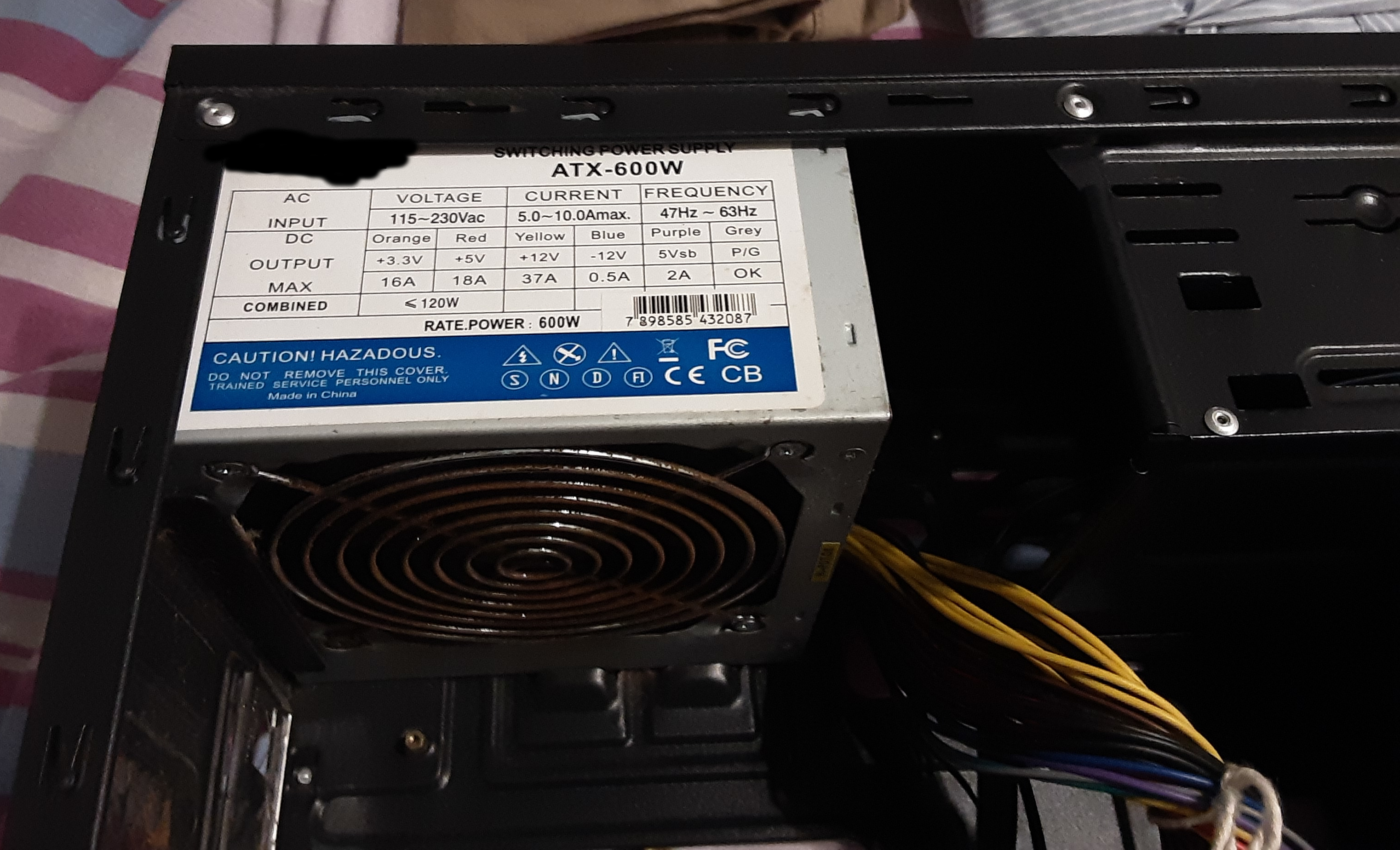
There's a power source attached to the case, which reads ATX-600W. Image1, image2.
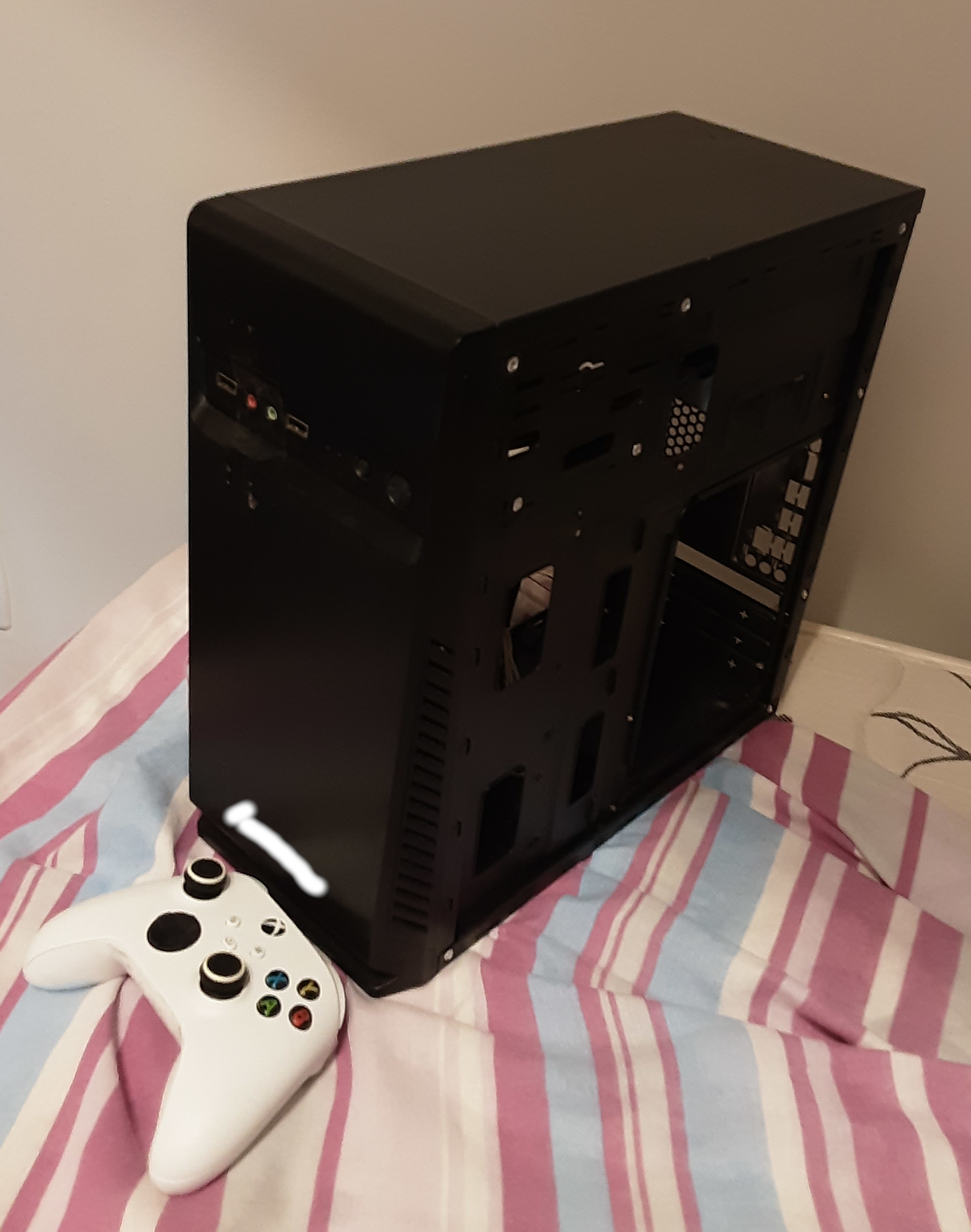
The computer case itself is a little beat up but I don't care about looks at all. Its external dimensions are 34.5cm by 35cm, with a width of 16cm. Here's how it looks (Xbox controller for scale).
I wanna build a new machine with the goals of:
My budget (including the monitor or monitors) is roughly 1400 US dollars. I understand that is not a lot of money for the majority of Tildes users, but that is just my reality. My 1400 US dollars PC is very much a luxury around here.
If needed for budget purposes I can get just one monitor now, and another down the road.
So, what's the best I can do?
Thanks! ;)
Part 1: Nerdforge - I Built the Ultimate Cyberpunk PC (18:28) Part 2: LTT - This PC took 600 HOURS to Build! (25:04) And if you just want to skip to the results, it's at 19m32s in the LTT video.
Hi folks! I am, unfortunately, probably going to have to build a new PC soon; my beloved Thelio-r1 is slowly failing, and while my original plan was to buy a Ryzen 7 5800X and keep riding this PC for another three to five years, I don't know that I'll actually be able to make that work.
I like the NXT H510 I used for my boyfriend's gaming build, but the thermal performance isn't amazing and, most importantly, I hate tempered glass!
Yes, I understand that people want to show off their (ridiculously!) expensive components. I understand that lots of things have RGB. However, metal is cheaper, easier to work with, doesn't shatter, and I can modify it if I need to.
So, does anyone know of a good mid-tower PC case with decent airflow, up-to-date features (no 5 inch bays, good cable management hardpoints, a cable hiding bay, etc.), and no tempered glass or, preferably, acrylic?
Thank you!
For those of you not in the loop, the Verge created a PC build guide back in September, and it was...bad, to put it lightly. They took down the original video after a storm of criticism, but this guy reuploaded it, if you want to see it.
Kyle (aka Bitwit) created a response video to it, which got copyright striked (which is more severe than a claim and has to be done by a human, unlike content ID claims), in addition to ReviewTechUSA. Ironically, the Verge published an article about abuse of the copyright system just 3 days ago (2 days when the videos were taken down yesterday).
The Verge should have taken more responsibility to begin with, now that the dust have settled they seem bent on reminding everyone how bad their video was.
Edit: Bauke pointed out Kyle's video is back up! This is not because the Verge retracted their claim, but because YouTube actually had a human review it and determine it was fair use (which usually isn't the case from what I've heard).